
A Paperless Shop Floor
Less Paperwork.
More Production.
Give operators job information on screen and record time, completed quantities and scrap at the terminal. Reduce printed job sheets, handwritten updates and retyping in the office.
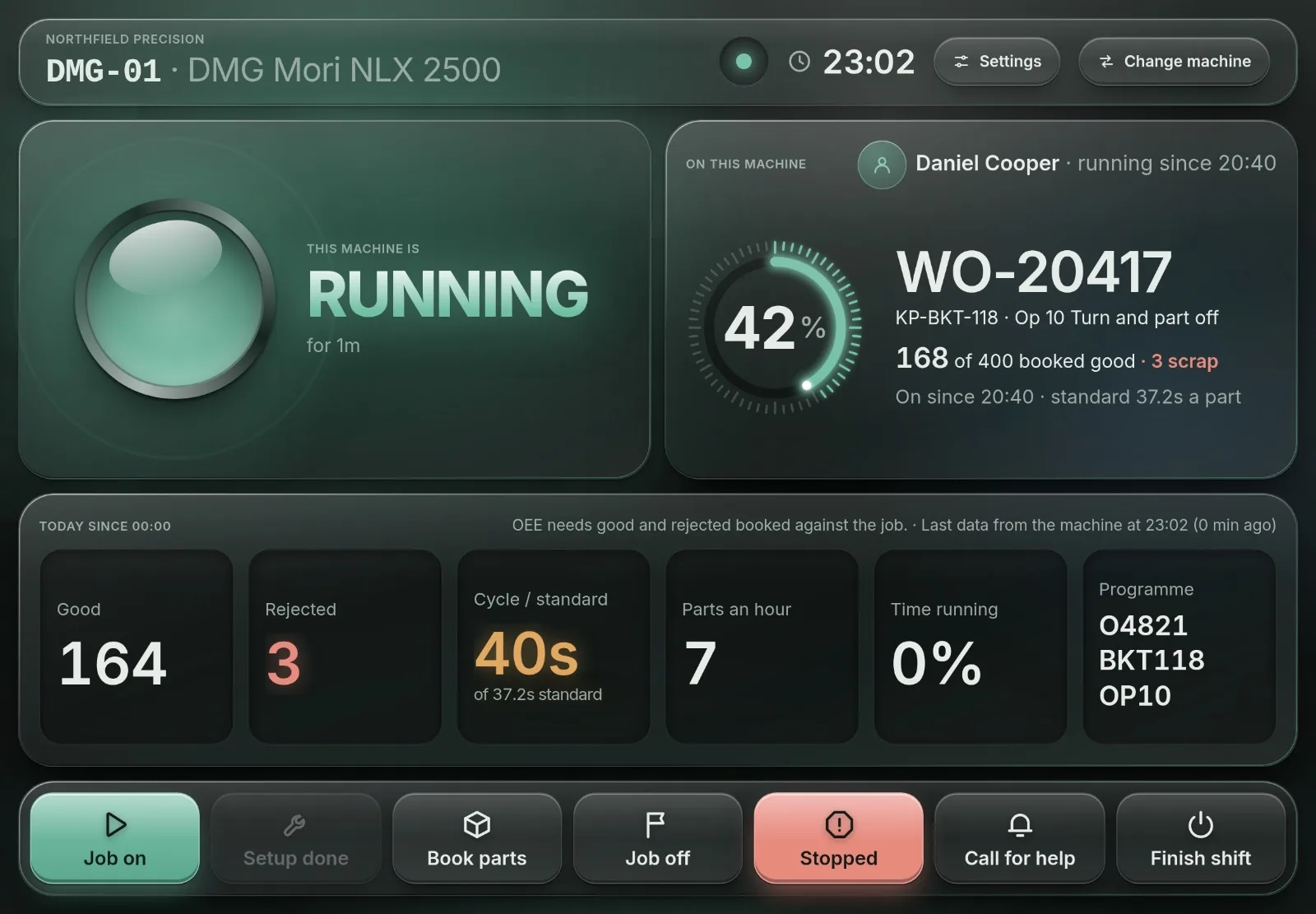
At the Terminal
Start The Job. Book The Work. See Progress.
Record the work where it happens, while the job is still in front of the operator.
1 · Start the Job
Know What You Are Working On
Select the job and operation, then book on. Record setup and running time against the works order rather than writing it on a card for someone else to enter later.
2 · Book Time and Parts
Record What Was Made
Book completed quantities and scrap at the terminal. Time and quantities stay linked to the job, so the office can use the production record without copying handwritten totals.
3 · See Progress
Keep The Team Informed
See which jobs are running, waiting or finished. Recorded activity gives the team a shared view of progress when reviewing work and delivery dates.
Fewer Manual Updates
One Job Record, From Office To Shop Floor
Works orders bring the job and its operations into the same system as the production bookings. Operators record the work; the office follows the same record.
Less Printing And Retyping
Use the terminal for routine job information and production updates. You can still print documents where your process or customer requires them.
Operator Access Included
Operator accounts are unlimited on every package for shop-floor booking. Supervisors, planners and quality staff use the named office-user allowance.
Add Machine Readings When You Need Them
Core includes works orders, operator booking, machine planning, material requirements planning and actual job costing. Factory adds staffing-aware planning and quality control. Connected Factory adds read-only machine data alongside the job record, from machines the collector can read. Not every machine can be queried, so we check yours before you commit.
Behind the Booking
Keep The Job Details Together
The production record stays useful when a revision changes or a delivery is split.
Keep The Revision On The Job
Each works order retains the revision, material list and routing it was raised against. A later part revision does not silently change the existing job.
Split Work Without Losing The Link
Split a job when part of it needs to go early. Both works orders retain their link to the customer order and the issued material.
Follow The Work Through To Despatch
Use the recorded quantities and job status to follow progress. Packing and despatch remain separate steps, with their own quantity checks.
See It Working
Follow A Job From Booking On To Completed Parts
A product walkthrough shows how an operator records work at the terminal and how the office sees the resulting progress.